
Never Lose a Sale to Out-of-Stock Products
Let customers subscribe to out-of-stock products and get notified automatically when they're back. Email alerts, subscription management, and one-click unsubscribe.
Why Back in Stock?
Recover lost sales by automatically bringing customers back when products are restocked.
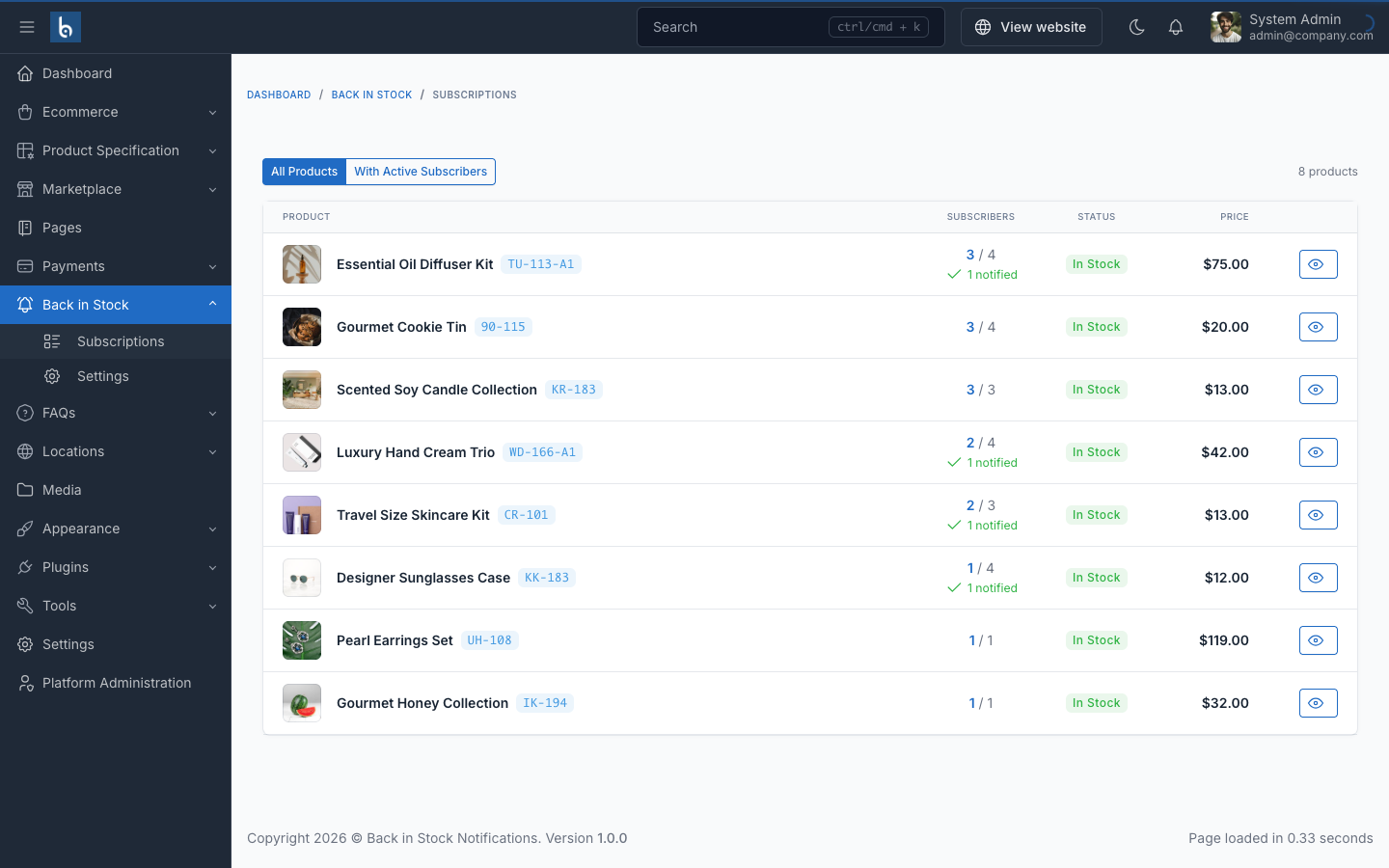
- Recover Lost Sales
- Don't lose customers when products run out. Automatically notify them when items are restocked and bring them back to complete their purchase.
- Understand Demand
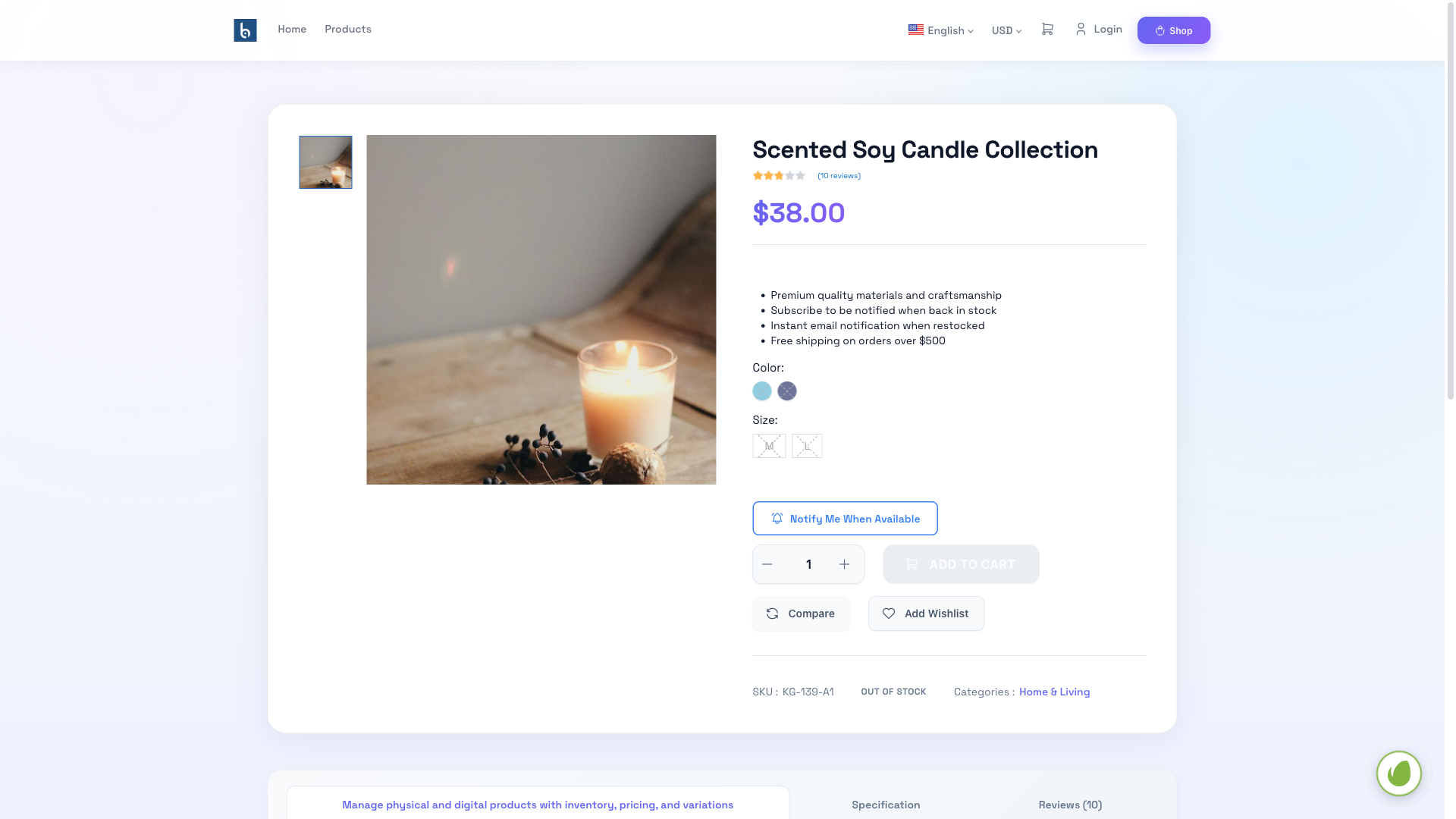
- See which out-of-stock products have the most subscribers, helping you prioritize restocking decisions.
- Zero Manual Work
- The system detects stock changes automatically and sends notifications instantly — no manual emails needed.
- Build Customer Trust
- Show customers you care by proactively alerting them when their desired products return.
How It Works
A simple, automated flow from subscription to notification.
Product Goes Out of Stock
A product runs out of stock in your store. The notification form appears automatically on the product page.
Customer Subscribes
Customer enters their email (and optionally phone) via an inline form or modal popup to subscribe.
Product Restocked
You update the product inventory. The system automatically detects the stock change.
Notification Sent
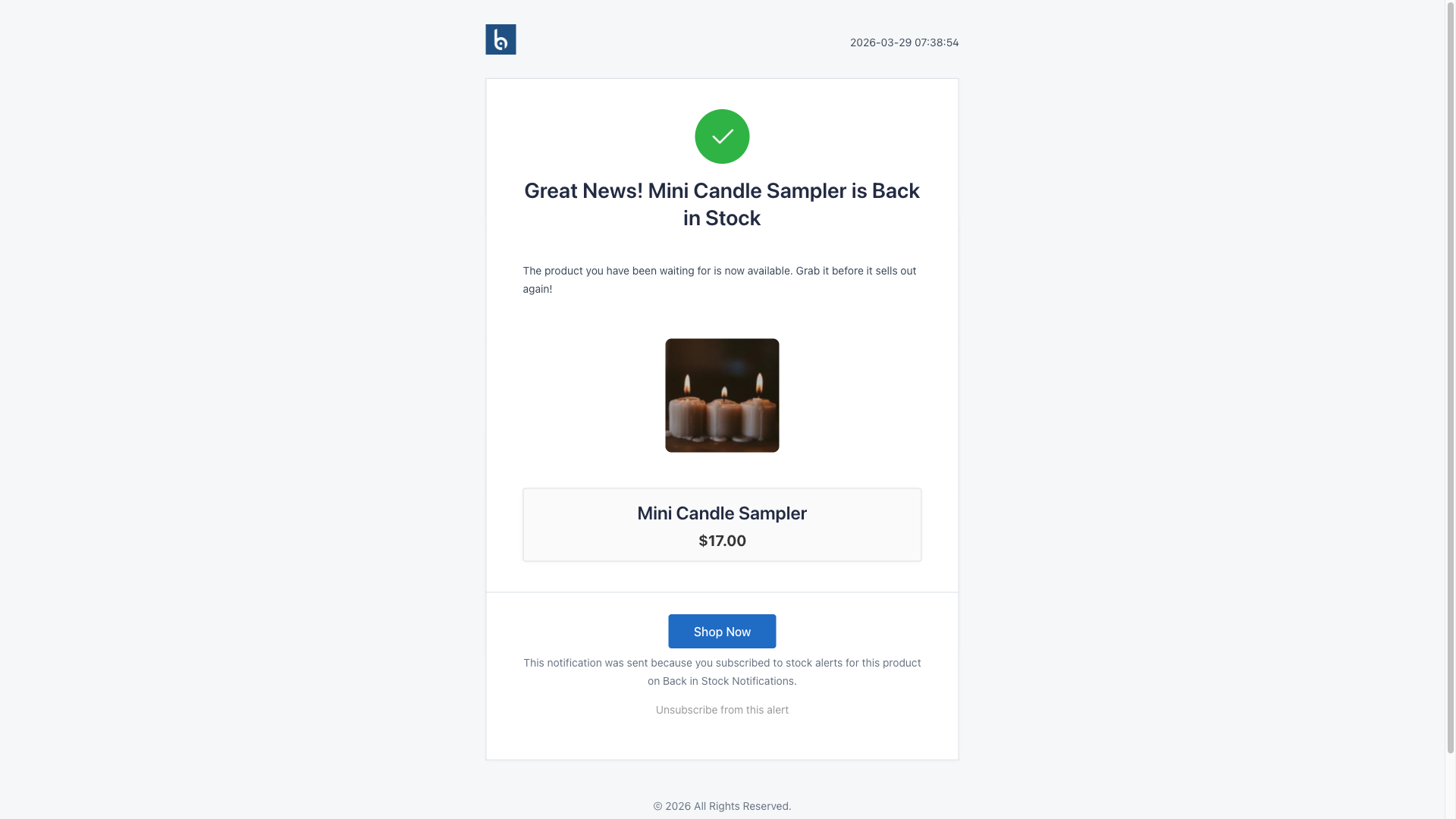
All subscribers receive an instant email with a link to purchase the now-available product.
Powerful Features
Everything you need to recover lost sales automatically.
Everything You Need
Complete feature set for back-in-stock notification management
Email Alerts
Automatic email notifications when products are restocked.
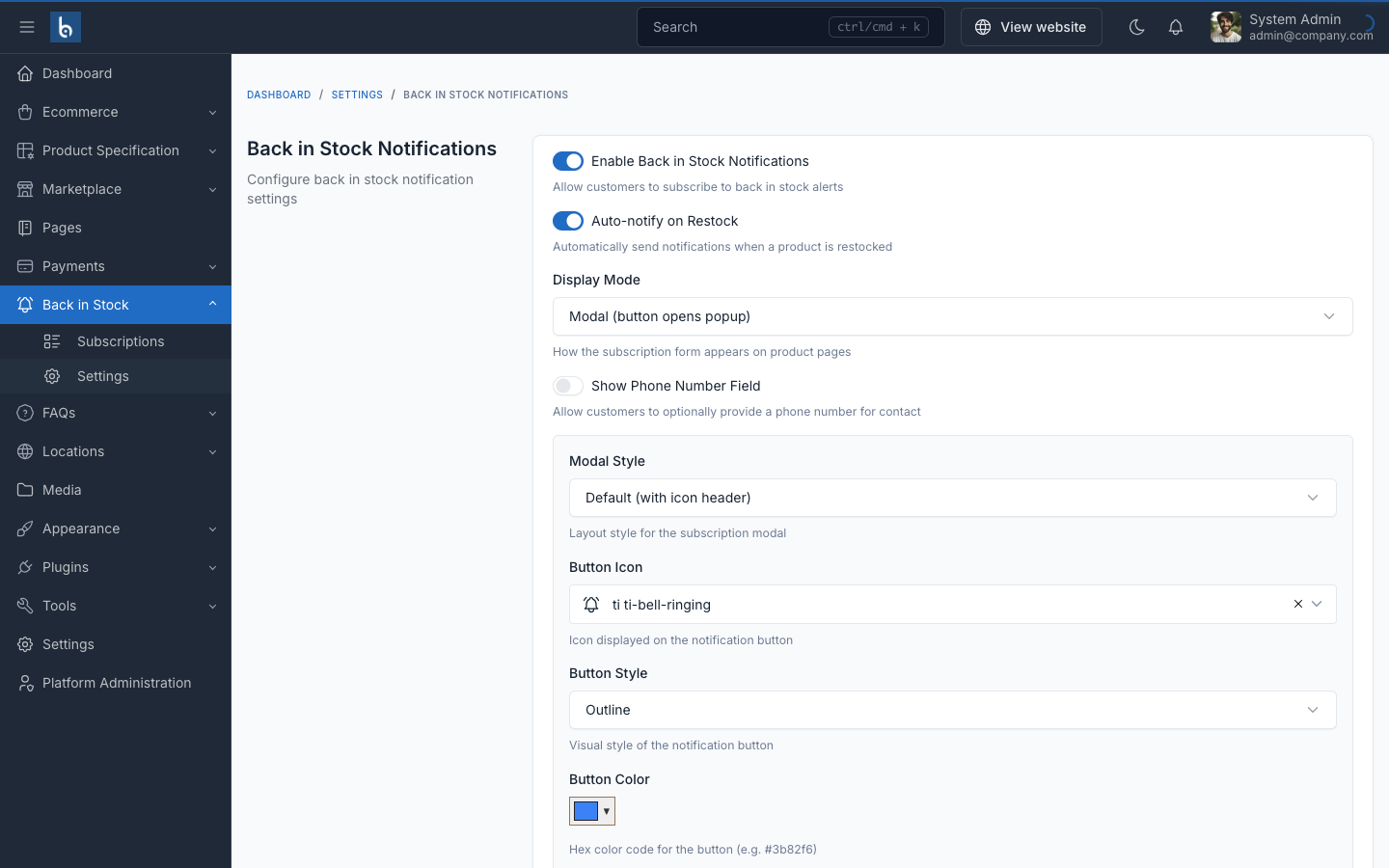
Phone Collection
Optionally collect phone numbers for future SMS/WhatsApp notifications.
Inline Forms
Display notification forms directly on product pages.
Modal Popups
Show subscription forms as modal popups.
Subscription Statuses
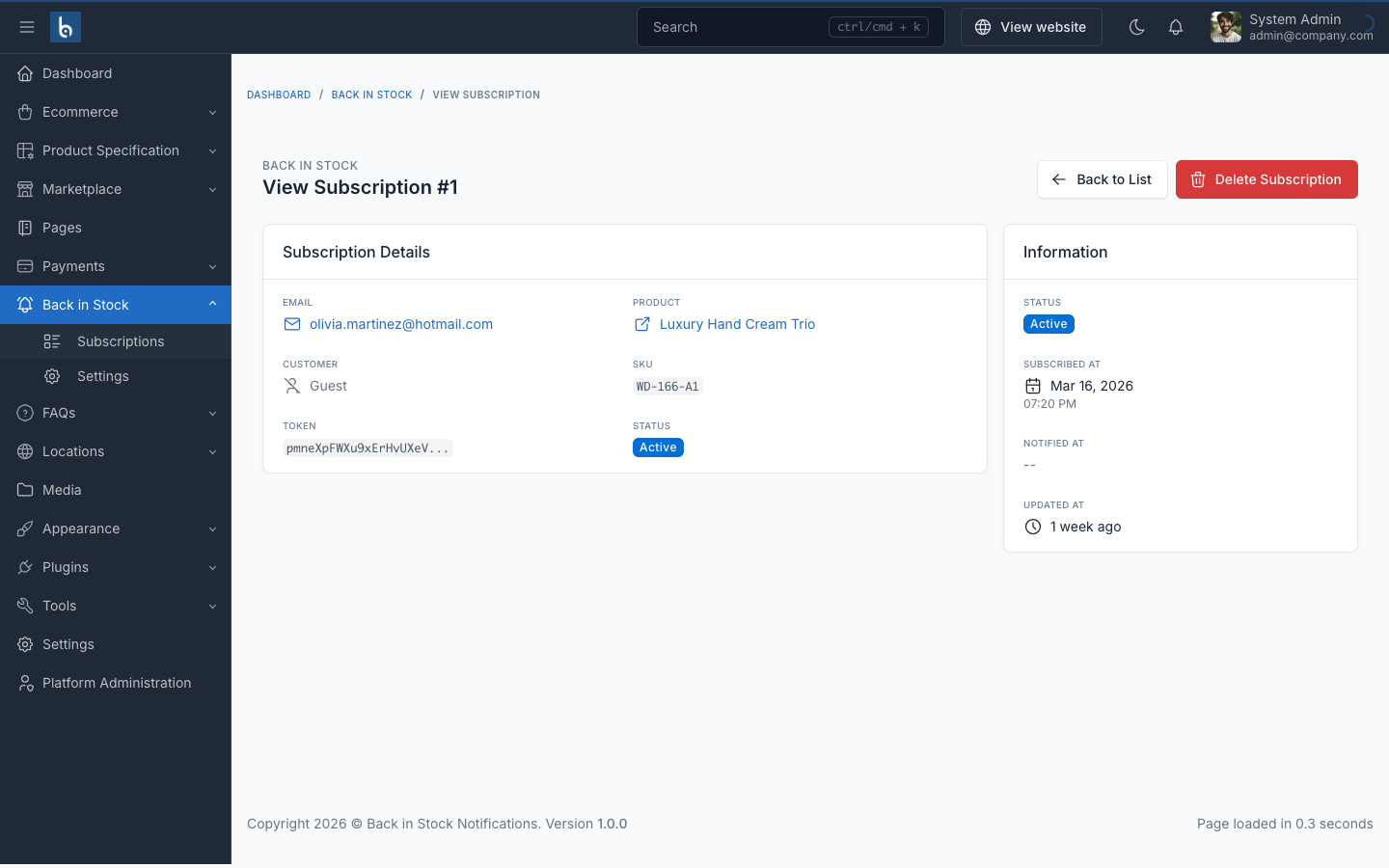
Track subscriptions through Pending, Notified, and Cancelled statuses.
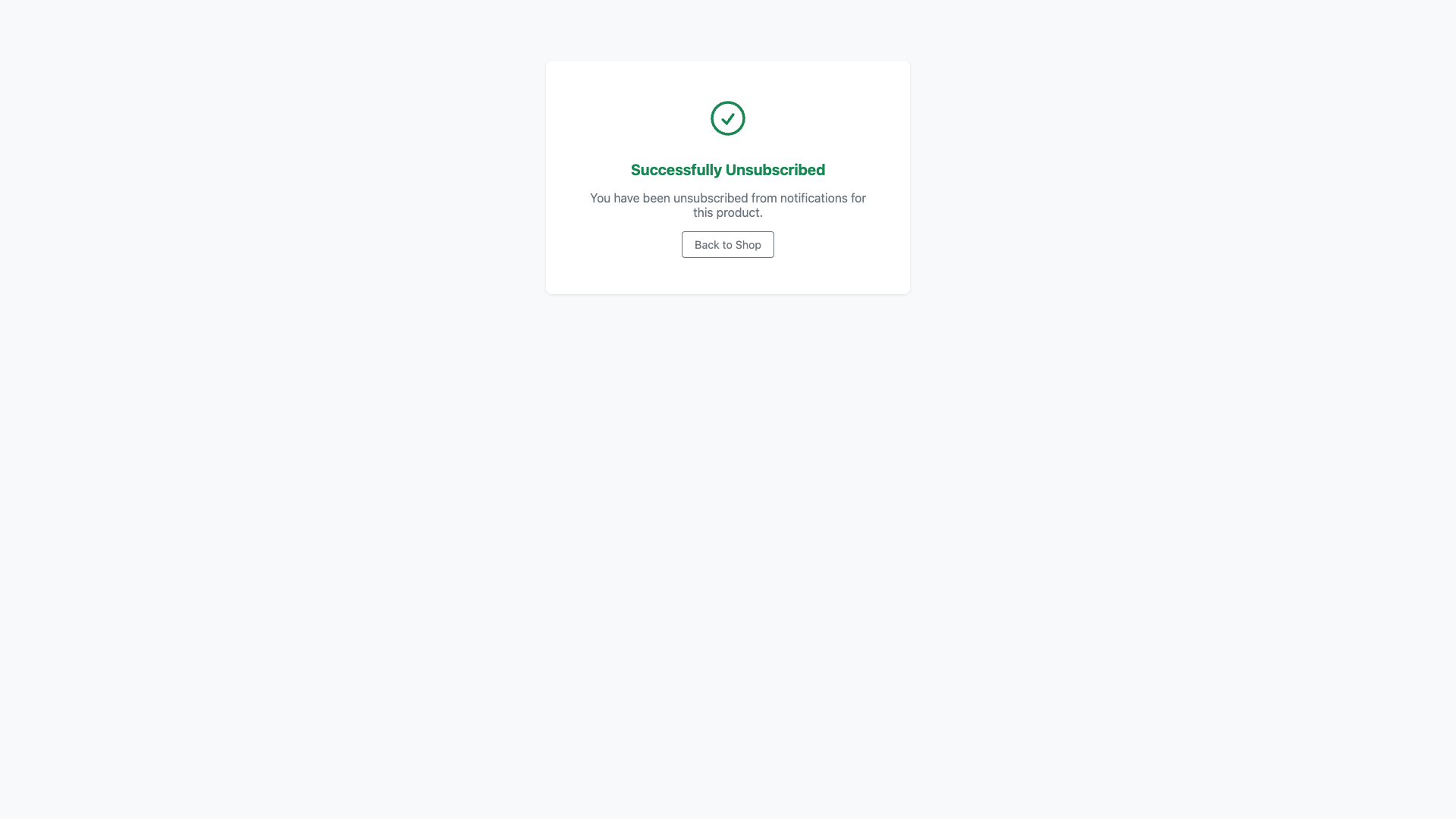
Unsubscribe Links
Token-based one-click unsubscribe in every notification email.
Custom Templates
Customize email templates with product name, image, and purchase URL.
Vendor Support
Compatible with Botble Marketplace — vendors see subscriptions for their products.
Real-time Detection
Automatic stock change detection triggers notifications instantly.
Multi-language Support
Available in 8+ languages including English, Arabic, German, Czech, Danish, Bengali, Bulgarian, and more.
Fully Compatible
Works with all Botble e-commerce themes available on CodeCanyon.
Frequently Asked Questions
Everything you need to know about the Back in Stock plugin
Installation Guide
Get started with Back in Stock in just a few minutes.
Requirements
- Botble version 7.5.0 or higher
- PHP version 8.2 or higher
- Active E-commerce plugin (required)
- MySQL 5.7+ or MariaDB 10.3+
Installation Steps
- Download the plugin from CodeCanyon downloads page
- Extract the downloaded zip file to your computer
-
Upload the extracted folder to
platform/plugins/ecommerce-back-in-stockdirectory on your server - Go to Admin > Plugins in your Botble admin panel
- Activate the Back in Stock plugin by clicking the "Activate" button
- Navigate to E-commerce > Back in Stock > Settings to enable the plugin and configure your preferences
After installation, set an existing product's stock to 0 and visit it on the frontend to see the notification form in action.